Onboarding Portal
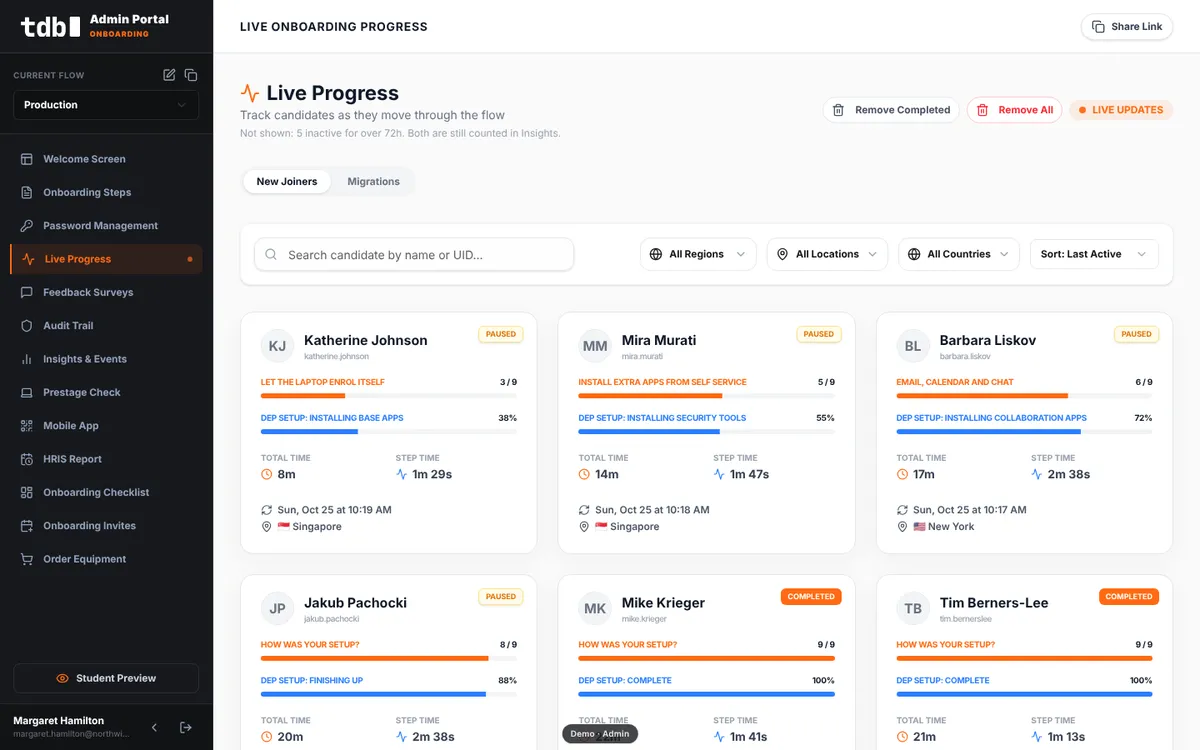
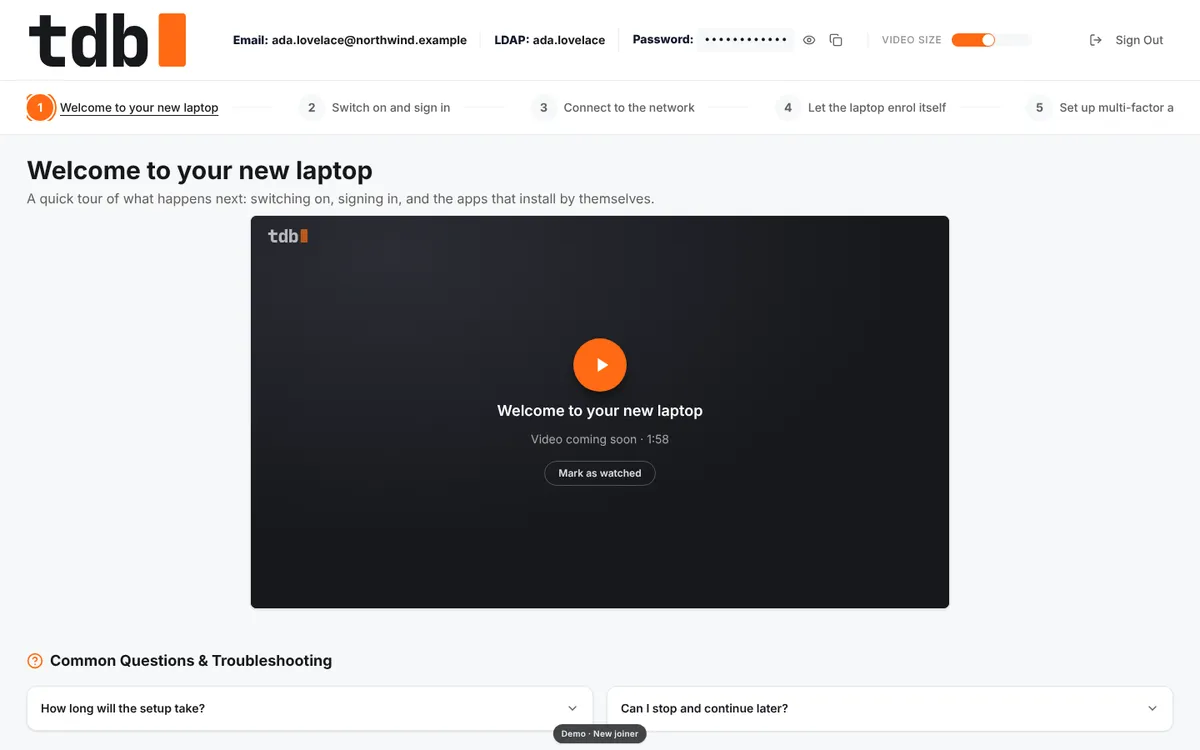
A full portal for laptop setup. New joiners set up their own laptop on day one, with a short video for every step; admins run it all from one panel. IT sees live who is where, and where people get stuck.
- Status
- In use at Adyen
- Runs on
- Desktop
- Built with
- React, TypeScript, FastAPI (Python), SSE

The problem it solves
Getting a new joiner started meant a lot of manual work: ordering computers, preparing laptops, helping on site and remotely. I took ownership of onboarding at Adyen and built a portal where almost everything runs automatically, all from one admin panel. Joiners follow short videos; IT and management see live progress and bottlenecks.
What I built
- Setup steps with a short video each
- Live progress for every new joiner
- Feedback that shows which steps need fixing
Result
Onboarding went from over two hours to under one. Every new joiner uses it: 50 to 100 people a month.
How I built it
Onboarding used to take more than two hours of slides, explaining and walking around. I took ownership of it and built one place for the whole journey: ordering the laptop, setting it up step by step, and help when something goes wrong.
New joiners get short, bite-size videos. Their first day is busy enough; long technical videos or walls of text and they stop taking it in. Admins get Live Progress, feedback and the places where people get stuck, so we fix the step instead of answering the same question again.
It’s React and TypeScript with a FastAPI backend and live updates. AI wrote a lot of the code with me; I tested every step on fresh laptops myself.
Try it like this
- Choose “Continue as new joiner” (Ada) and click “Mark as watched”.
- Switch to “Admin” in the bar at the bottom and open “Live Progress”.
- Open “Feedback Surveys” and “Insights & Events” to see the feedback and where people get stuck.