NATO Reader
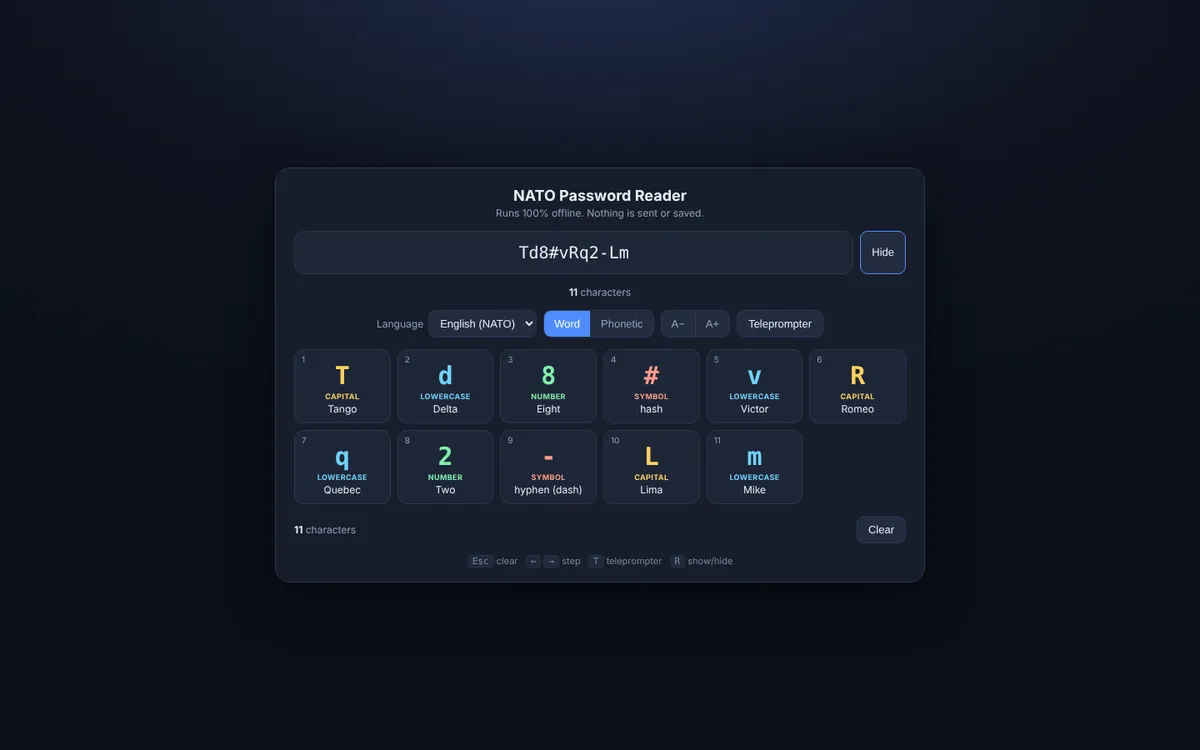
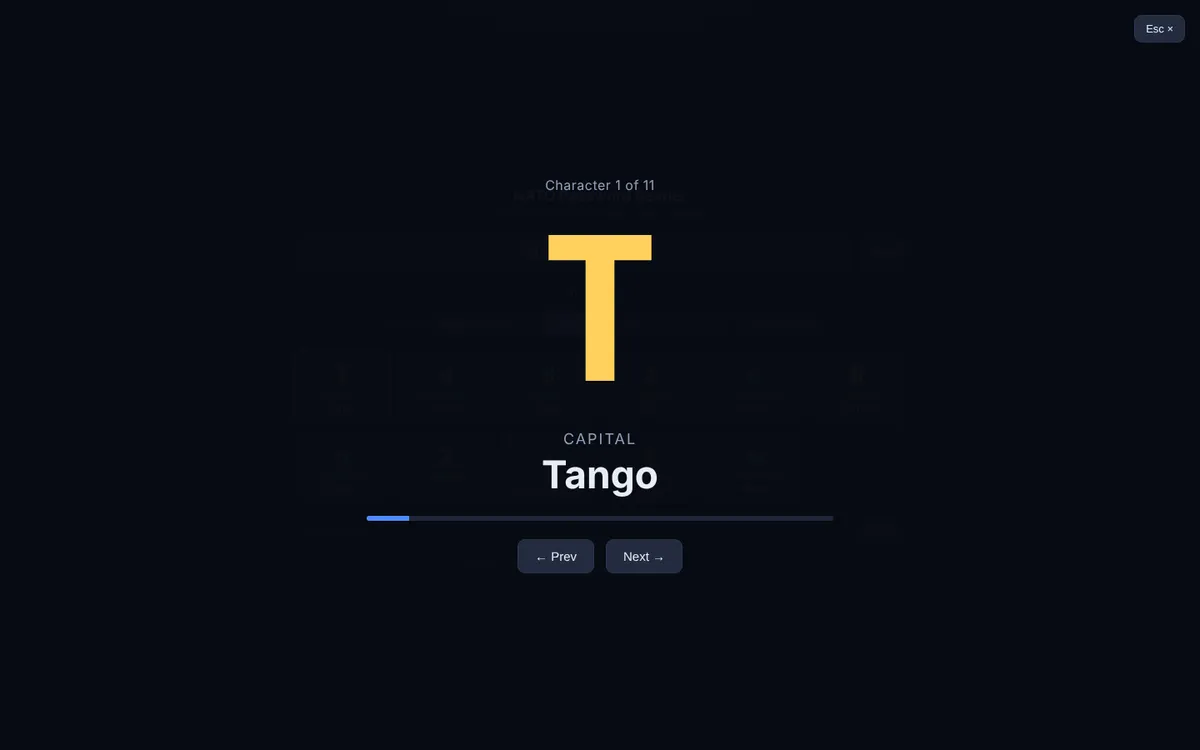
A teleprompter for long passwords. It shows them big, one character at a time, with the spelling word next to each one. Handy when you type a password on another device or read it out over the phone.
- Status
- In use at Adyen
- Runs on
- Local, in your Dock
- Built with
- HTML, CSS, JavaScript, Small local app in the Dock

The problem it solves
Reading a password out loud goes wrong on O and 0, l and I. Typing a long password from one screen onto another goes wrong too. NATO Reader shows the password big, one character at a time, with the spelling word beside it, so anyone can copy it or read it back correctly. It is a small local tool that lives in your Dock and can be called up at any moment. Nothing is stored: everything stays on your own machine.
What I built
- Shows long passwords big and clear
- Spells every character with the phonetic alphabet (Alfa, Bravo, Charlie…)
- Spelling words in six languages
Result
Available to everyone in IT Support worldwide, a team of about 30 people.
How I built it
Reading a long password out loud goes wrong all the time: a zero or an O, a capital or not? It’s harder still when English isn’t your first language, or when you don’t know the NATO alphabet by heart. That’s who I built it for.
NATO Reader shows each character big, with its spelling word, and steps through it like a teleprompter. It’s one local HTML file that lives in your Dock and opens in a second. Nothing is sent or saved; a password tool that stores passwords would be a security problem, so it simply doesn’t.
The other spelling languages were my own idea.
Try it like this
- Paste or type a password, for example Td8#vRq2, and click “Show”.
- Click “Teleprompter” to step through it one character at a time.
- Pick another spelling language under “Language”.